

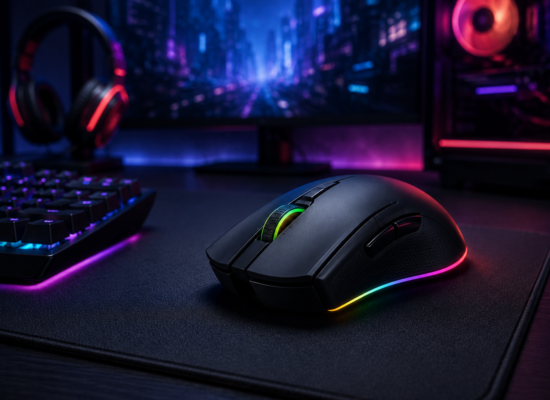


Choosing a gaming mouse is one of those decisions that seems simple until you actually start comparing options. Scroll through any retailer’s page and you will find dozens of models boasting sensors capable of tracking tens of thousands of DPI, RGB lighting effects, and marketing copy that makes every mouse sound like the one professional esports players are using. In reality, the number on the box tells you very little about whether a mouse will actually improve your gameplay. What matters far more is how the mouse fits your hand, how it tracks during fast movements, how the buttons feel under repeated clicking, and whether its weight and shape suit the genre of games you play most.
Table Of Content
Before looking at specific products, it helps to understand what actually separates a good gaming mouse from an ordinary office mouse. Gaming mice use higher quality optical or laser sensors that maintain accurate tracking even during quick, sweeping motions across a mousepad. They typically offer adjustable DPI (dots per inch) settings, allowing you to change cursor sensitivity on the fly. Polling rate, which measures how often the mouse reports its position to your computer, is another important factor; a higher polling rate means smoother, more responsive cursor movement, which matters a great deal in fast-paced shooters.
Our Top Gaming Mouse Picks
1. Logitech G Pro Series
Logitech’s G Pro lineup was built from direct feedback with professional esports players, and it shows in the details. The shape is intentionally understated and symmetrical, which makes it comfortable for both right and left-handed grips, and its lightweight shell (many models sit well under 90 grams) makes rapid flicks and micro-adjustments feel almost effortless. The sensor is tuned for extremely low click latency, which is why the G Pro remains a fixture at competitive FPS tournaments. If you play games like Valorant, CS2, or Overwatch competitively, this is one of the first families of mice worth trying. Best for: Competitive gaming
2. Razer DeathAdder Series
The DeathAdder has been around for well over a decade, and its ergonomic, right-hand-specific shape remains one of the most copied designs in the industry. Rather than chasing the lightest possible build, the DeathAdder prioritizes a comfortable palm grip that reduces fatigue during long sessions. It tends to suit players who rest their whole hand on the mouse rather than gripping it lightly with their fingertips. Best for: Comfort and FPS gaming
3. Razer Viper Series
The Viper trades ergonomic bulk for a slim, symmetrical, ultra-light shell aimed at players who favor a claw or fingertip grip. Because it’s built for speed rather than palm comfort, it tends to appeal most to players in fast, twitch-reaction shooters where every gram of weight affects how quickly you can change direction. Best for: Fast-paced shooters
4. Corsair Gaming Mice
Corsair’s gaming mice generally lean toward extensive programmability. Many models include a higher number of physical buttons than typical FPS-focused mice, along with software that lets you build detailed macros and per-game profiles. That makes them a strong fit for players who want a single mouse that adapts across genres, from shooters to strategy games to general productivity. Best for: Versatile gaming setups
5. Logitech G502 Series
The G502 has built a loyal following among gamers who like having several programmable buttons within thumb’s reach, along with adjustable weights that let you fine-tune the mouse’s balance. It’s noticeably heavier than the G Pro or Viper, but that extra heft appeals to players who want a more substantial, planted feel, particularly in MMOs, strategy titles, or general desktop use where more buttons come in handy. Best for: MMO, productivity, and mixed gaming
It’s also worth noting that the gap between wired and wireless gaming mice has narrowed considerably. Modern wireless gaming mice can now deliver latency that is competitive with wired options, so choosing wireless no longer necessarily means sacrificing responsiveness the way it did several years ago. For most players, the deciding factor between wired and wireless now comes down to preferences around cable drag and charging habits rather than any meaningful performance gap.
What Should You Look For?
Hand size and grip style should be the very first things you consider, since they determine which shapes will feel comfortable during long sessions.
- Weight: lighter mice (often under 80-90 grams) suit fast flicking movements, while heavier mice feel more stable for slower, precise aiming.
- Grip style: palm grips generally favor larger, ergonomic mice; claw and fingertip grips favor smaller, lighter shells.
- Button count: FPS players usually need very few extra buttons, while MMO and strategy players benefit from more.
- Wireless or wired connectivity, and how much cable drag or battery management you’re willing to deal with.
- Battery requirements and charging habits, particularly if you play for many hours at a stretch.
- Software customization, including macros, DPI stages, and lighting profiles.
- Sensor consistency, since even high DPI numbers mean little if tracking becomes inconsistent during fast movement.
Generally speaking, an FPS player will benefit from a lightweight mouse that supports fast, precise flicks, while MMO players may appreciate the additional side buttons that let them trigger abilities without reaching for the keyboard.
Final Verdict
There is no single gaming mouse that is perfect for everyone, and that’s really the central lesson here: the “best” mouse is the one that matches your grip, your genre, and your hand size.
For competitive gaming, start your search with the Logitech G Pro or Razer Viper families, both of which prioritize light weight and precision.
For comfort during long sessions, the Razer DeathAdder remains an excellent choice thanks to its ergonomic shape.
For additional controls and customization, the Logitech G502 or a Corsair model is worth considering, especially if you split your time between genres.
Whatever you choose, try to test the shape in person if possible, since photos and specifications only tell part of the story when it comes to how a mouse actually feels in your hand.


No Comment! Be the first one.