


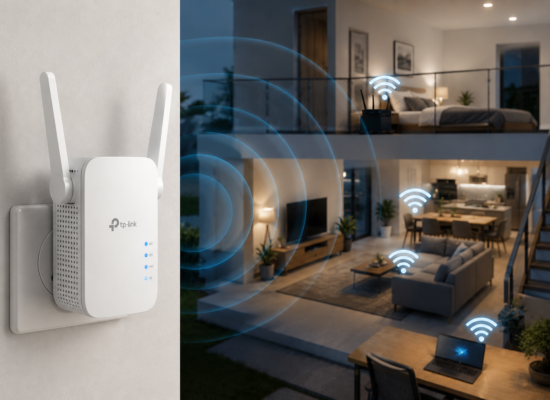



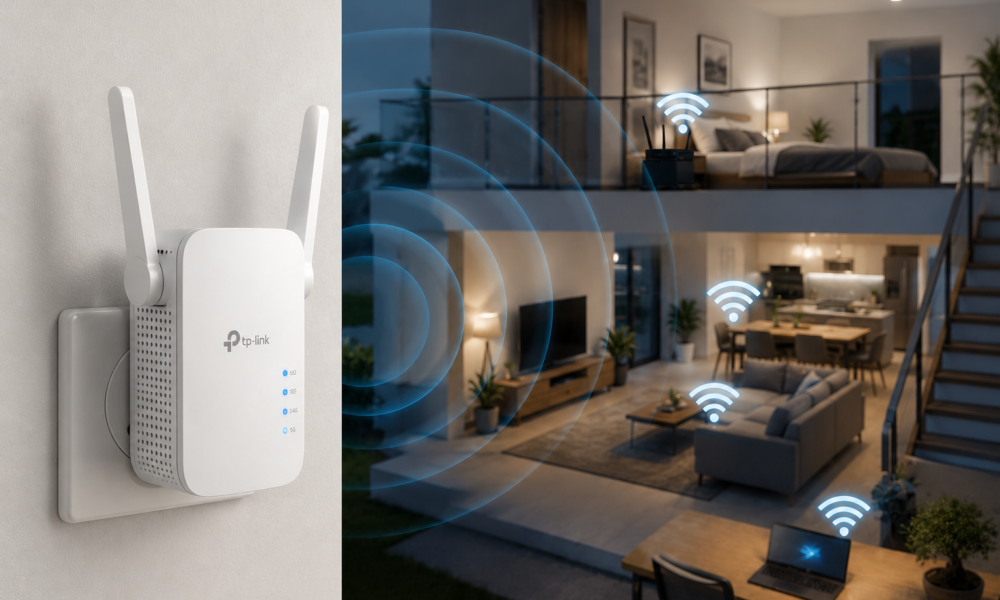
A fast internet package will not help much if your WiFi signal cannot reach your bedroom, home office, or upstairs floor. Internet service providers advertise headline speeds measured at the router itself, but by the time that signal has to pass through several walls, floors, and household appliances, the real-world speed you experience in a distant room can drop dramatically. That is where a WiFi extender can help, by picking up your existing signal and rebroadcasting it further into your home.
Table Of Content
It’s worth understanding upfront that a WiFi extender is a different tool than a mesh WiFi system, even though the two are sometimes marketed similarly. A traditional extender simply repeats the signal it receives, which can sometimes cut the effective speed roughly in half in the extended area. A mesh system, by contrast, uses multiple coordinated nodes that communicate with each other over a dedicated backhaul connection, generally providing more consistent coverage throughout a larger home, usually at a higher price.
Best WiFi Extenders to Consider
1. TP-Link WiFi Extenders
TP-Link offers an especially wide range of extenders, from inexpensive basic models that simply push a signal into one additional room, to faster units built around newer WiFi standards designed for homes with several connected devices. This range makes TP-Link a sensible starting point for almost any budget. Best for: Most homes
2. NETGEAR WiFi Extenders
NETGEAR is another well-established networking brand, and its range extender lineup includes options aimed at larger homes and more demanding networks, often with additional ports for wired connections to devices like smart TVs or gaming consoles. Best for: Larger networks
3. ASUS Range Extenders
ASUS extenders can be particularly attractive if you already use ASUS networking equipment, since the company’s AiMesh technology allows certain ASUS routers and extenders to work together more seamlessly than mixing brands typically allows. Best for: Existing ASUS setups
Do You Actually Need an Extender?
An extender makes the most sense when your router already works well in most of your house, but one particular area consistently receives a weak signal. Common examples include:
- A bedroom with poor WiFi despite being on the same floor as the router.
- An upstairs area where the signal noticeably weakens.
- A home office that sits far from the router, especially if there are several walls in between.
- A garage or basement that struggles to maintain a stable connection.
- An outdoor security camera that repeatedly drops its WiFi connection.
However, if your entire house has poor coverage rather than just one or two trouble spots, you may be better served by upgrading to a more powerful router or switching to a mesh WiFi system altogether, since an extender is really meant to patch specific dead zones rather than rebuild your whole network.
Where Should You Place It?
Placement has a bigger impact on performance than almost any other factor. Do not place an extender directly inside the WiFi dead zone itself, since it still needs to receive a strong, reliable signal from your router in order to have anything worthwhile to rebroadcast. Instead, try positioning it roughly halfway between the router and the area where you need stronger coverage, ideally within line of sight and away from thick walls, metal objects, or major appliances that can interfere with the signal.
Most extenders also include simple signal-strength indicator lights that can help you fine-tune placement after the initial setup, so it’s worth spending a few minutes adjusting the position and checking the indicator before considering the installation finished.
Final Verdict
For straightforward home WiFi expansion, TP-Link and NETGEAR are excellent brands to begin comparing, given their broad range of models and price points. ASUS is worth a closer look if you’re already invested in that ecosystem.
Whichever brand you choose, check compatibility with your current router and your home’s WiFi standard before buying, since pairing an older extender with a newer router (or vice versa) can limit the speeds you actually experience.



No Comment! Be the first one.